
Download Markdown Monster – Markdown Editor, Text Formatting, Content Creation
Overview
Markdown Monster is a dedicated Markdown editor designed for Windows users seeking a streamlined approach to text formatting. The app simplifies the creation and presentation of content by allowing users to write in plain text while applying formatting through intuitive syntax. This eliminates the need for complex coding languages like HTML, making it ideal for individuals who want to focus on writing without technical distractions. The tool caters to a broad audience, including bloggers, technical writers, students, and developers who regularly produce structured documentation.
Its primary function is to provide real-time preview and formatting capabilities, enabling users to see the visual output of their Markdown code as they type. This immediate feedback loop enhances clarity and reduces errors during content creation. The app is particularly valuable in workflows involving documentation, blog publishing, or content distribution across platforms such as WordPress, Jekyll, and Medium. By integrating directly with these services, Markdown Monster helps maintain a consistent and efficient publishing pipeline.
Although the developer did not provide additional technical details about the development team or background, the app’s focused design suggests a strong emphasis on usability and functionality. Real-world use cases include drafting blog posts, preparing technical manuals, and organizing notes with structured formatting. In the broader context of productivity tools, Markdown Monster fills a niche for users who value clean, readable syntax and the ability to publish directly from their editor.
Key Features & Functionality
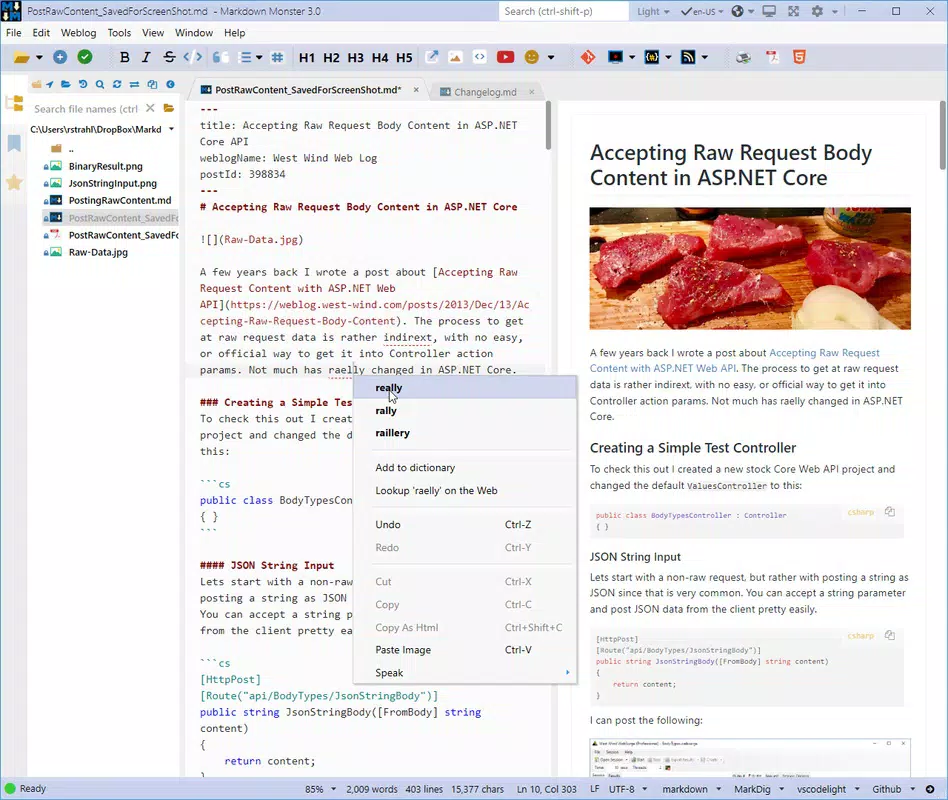
- Real-Time Formatting: As users type, the editor instantly renders Markdown syntax into formatted text, allowing immediate visual feedback. This feature supports bold, italics, headings, lists, and links, enabling a smooth writing experience without switching between modes.
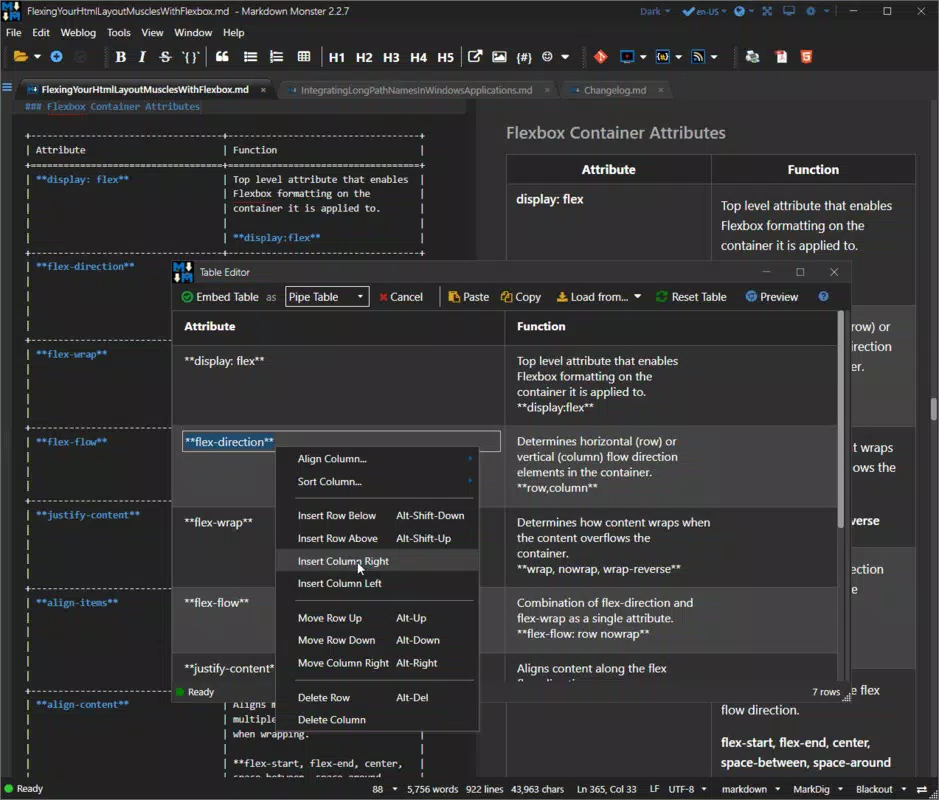
- Easy Multimedia Integration: Users can insert images, code blocks, and tables using either Markdown syntax or the built-in interface. Drag-and-drop functionality simplifies the process of embedding media, reducing the time spent on manual formatting.
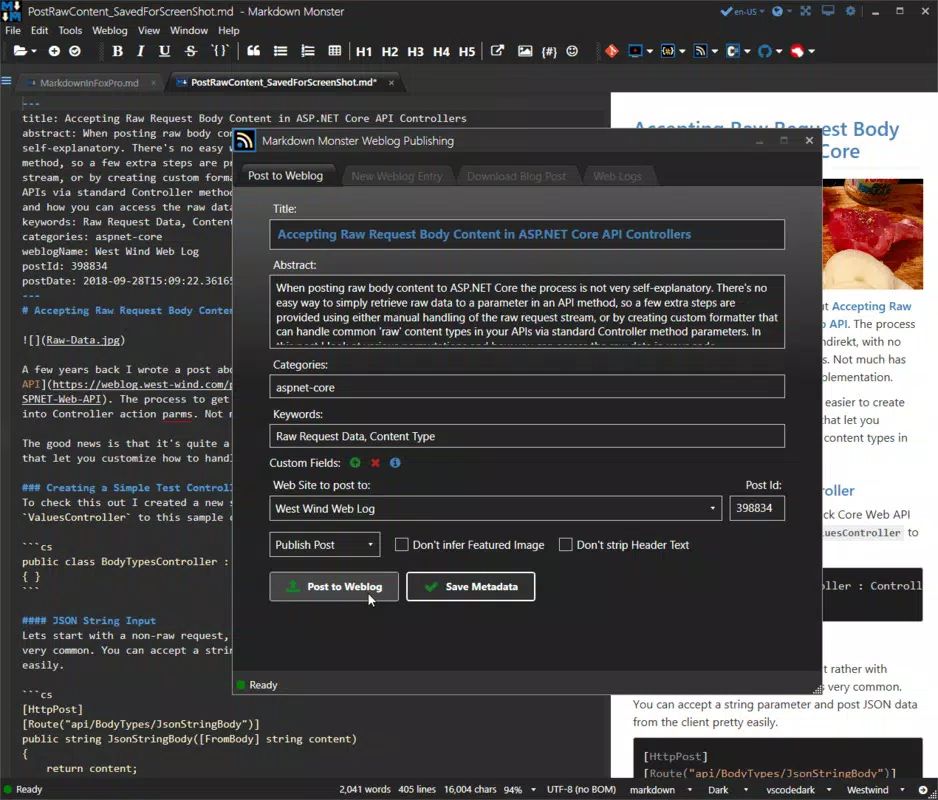
- Seamless Service Integration: The app supports direct publishing to platforms like WordPress, Jekyll, and Medium via MetaWeblog API, minimizing the need for external tools or manual copy-paste workflows.
- Customizable Interface: Users can tailor the layout, themes, and file browser to suit their preferences. This flexibility enhances comfort and efficiency, especially during extended writing sessions.
- Export Capabilities: Documents can be exported to multiple formats, including PDF and HTML, ensuring compatibility with various distribution channels and enabling easy sharing across devices.
For example, a developer writing a technical guide can use the code block feature to highlight snippets, insert images of diagrams via drag-and-drop, and export the final document as a PDF for team distribution. Similarly, a blogger can draft a post, preview it in real time, and publish it directly to their WordPress site—all within a single environment.
Interface, UX & Performance
Markdown Monster features a clean, minimalist interface that prioritizes readability and workflow efficiency. The layout separates the editing pane from the live preview, allowing users to focus on content creation while monitoring the visual output. Navigation is straightforward, with a well-organized toolbar and accessible menu options. The folder browser integrates seamlessly, making it easy to locate and manage documents across directories.
Although the developer did not list formal performance metrics, the app’s design suggests optimized responsiveness across different device categories. Users can expect smooth interaction during text input, preview updates, and file operations. The editor handles large documents with minimal lag, maintaining stability during extended use. Responsiveness is consistent, with quick load times and predictable behavior when switching between editing and preview modes.
Stability appears to be a core focus, with no reported issues related to crashes or data loss. The interface remains consistent across screen sizes, adapting well to both standard monitors and high-resolution displays. While specific device compatibility details were not disclosed, the app’s lightweight architecture implies broad support within the Windows ecosystem.
Platform Compatibility & Technical Requirements
Markdown Monster is designed for the Windows platform and operates on the Windows operating system. The app’s file size is listed as 27.1 MB, indicating a compact footprint that ensures fast installation and minimal storage usage. The software version is 2.7.0, released on October 18, 2024.
The developer did not specify minimum OS requirements, nor did they provide details about hardware specifications or supported Windows versions. As such, compatibility with older or newer Windows releases remains unconfirmed. Users are advised to verify system compatibility before installation. The app does not appear to require a specific processor, RAM, or GPU configuration beyond standard Windows requirements.
Pros and Cons
Pros
- Real-time preview enhances writing accuracy and efficiency.
- Intuitive interface reduces the learning curve for new users.
- Direct publishing to major platforms streamlines content distribution.
- Robust export options support multiple file formats.
- Customizable layout improves user comfort and workflow.
Cons
- Platform is limited to Windows; no support for Android or iOS.
- Developer did not disclose minimum OS or hardware requirements.
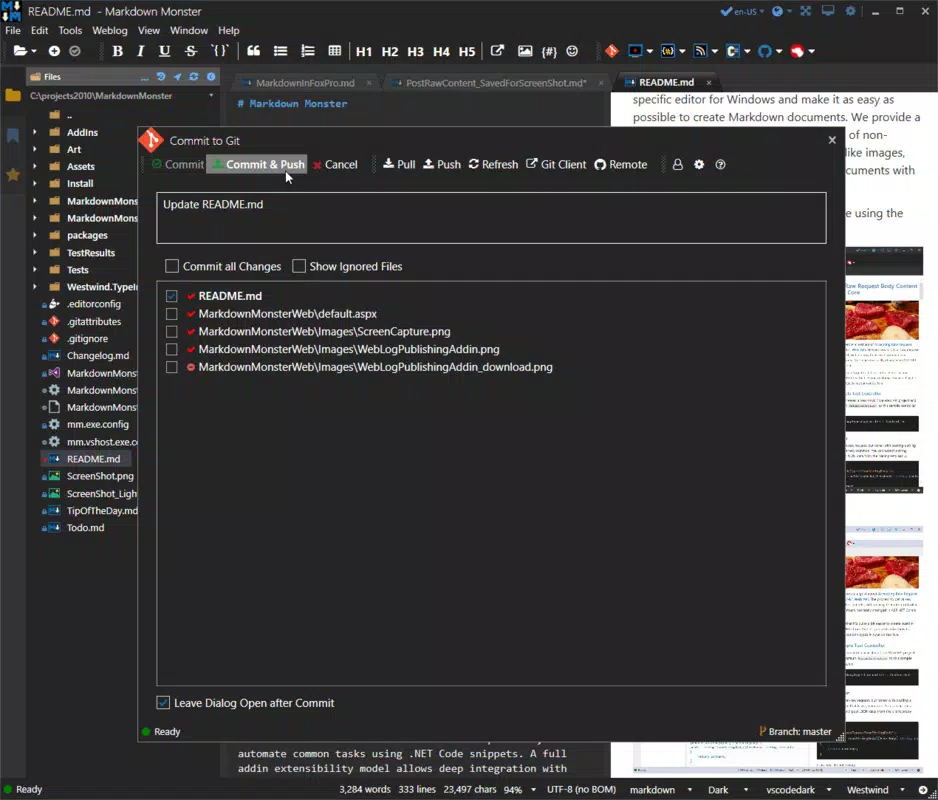
- No built-in collaboration or version control features.
- Export functionality may require additional software for advanced formatting.
- Integration with third-party tools is limited to specified services.
FAQ
Is Markdown Monster free to download and use?
Yes, the app is available for free download. However, the developer has not specified whether all features are included in the free version or if premium upgrades exist.
Can I use Markdown Monster on Android or iOS devices?
No, the app is currently only available for Windows. There is no official version for Android or iOS platforms.
How do I install Markdown Monster on my Windows PC?
Download the installer from the official source, run the executable file, and follow the on-screen instructions. The installation process is straightforward and typically completes in under a minute.
Does Markdown Monster support code syntax highlighting?
Yes, the app includes syntax highlighting for code blocks, which improves readability and is particularly useful for developers and technical writers.
Can I update Markdown Monster to the latest version?
Yes, updates are available through the official website. Users are encouraged to check for updates regularly to ensure access to the latest features and security patches.
Final Thoughts
Markdown Monster stands out as a powerful, focused tool for users who rely on Markdown for content creation. Its real-time preview, seamless platform integration, and customizable interface make it a valuable asset for writers, developers, and technical professionals. While it is limited to Windows, its efficiency and feature set justify its place in any digital writing toolkit.
For those who prioritize clean formatting, fast publishing, and minimal distractions, Markdown Monster delivers a reliable and intuitive experience. The app’s ability to handle complex content while maintaining simplicity is its greatest strength.
Download Markdown Monster now


